I just want to throw out a fix I found for a problem with American Truck Simulator not closing properly. Its honestly stupid annoying because its been screwing up my Steam play time numbers, which I kind of really hate. Anyway, I found what seems to be an effective fix, though I’m not exactly sure why, I have some theories.
PS, I had the same issue in Euro Truck Simulator 2 and this fixed it there as well.
I’m not sure where the file is in other operating systems, but at least for Windows, you’ll wan to open the Documents Folder. The easiest way, in case you don’t know how, is to press the Windows Key and the R key at the same time, to open the Run Dialog, then type “Documents”. This should open Explorer in the appropriate folder.
Next is to open the American Truck Simulator folder, just double click on it, and locate “config.cfg” (possibly just “config”. Right click and select “Edit in Notepad”. This will bring a bit list of user editable settings.
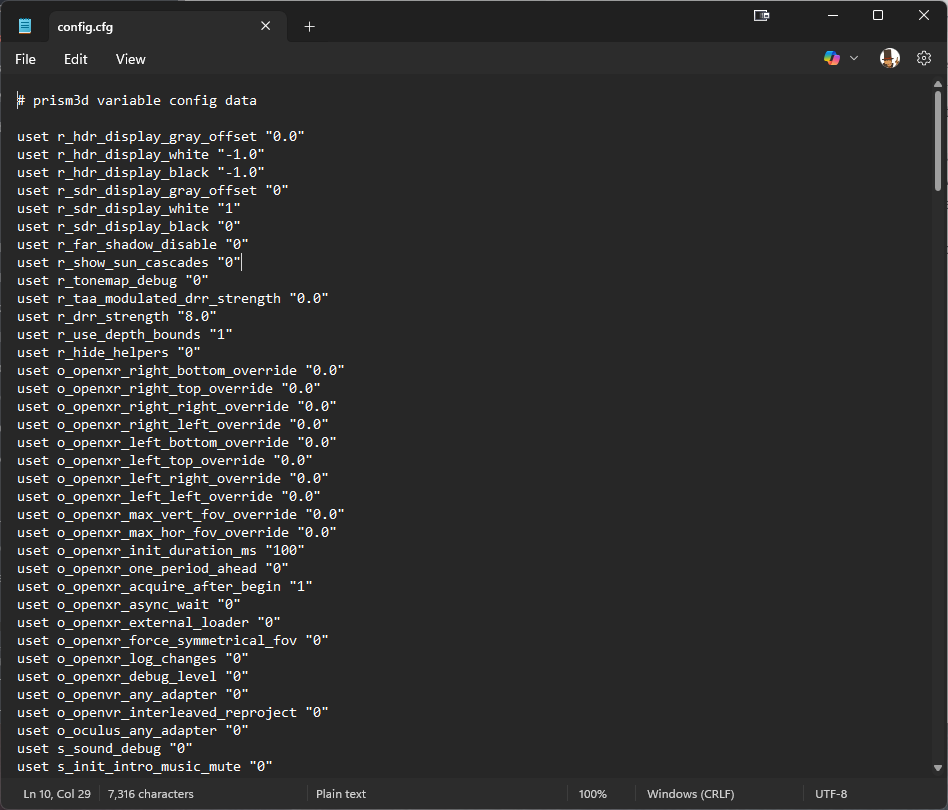
Use the Edit menu at the top and select “Find” or press Control+F.
Search for the first setting “cf_asus_aura”. Edit the “1” to be “0”
In total, you will need to do this for 3 settings
uset cf_asus_aura “0”
uset cf_razer_chroma “0”
uset g_color_feedback “0”
Save the file with the “File” menu or “Control+S”.
After doing this, I found that I no longer had issues with the game not closing. Based on the descriptions. I suspect these settings have to do with some sort of hardware lighting sync, and the game was maybe latching onto one of these services and not “letting go” in a software level. That’s speculation, but I also do have an ASUS PC with RGB lighting in the case.